
Blog / Jacksonville BMW Dealer

BMW EfficientDynamics Display and Efficient Mode Guide

BMW EfficientDynamics brings together BMW features that manage energy use, driving feedback, and selected vehicle responses. For this reason, the name can appear within the instrument cluster, control display, feature list, or owner information. However, it does not describe one single button or part.

Additionally, some BMW models use ECO PRO, while newer interfaces may show Efficient Mode. Each version can pair driving guidance with settings that reduce fuel or electrical demand. However, available functions vary by model year, drivetrain, equipment, and software.

With that in mind, Orange Park drivers can read each graphic by learning its purpose. Stop and go traffic, highway travel, and strong air conditioning demand can each change the information shown.

What Does BMW EfficientDynamics Mean?

BMW EfficientDynamics is BMW terminology for a group of energy saving features and engineering measures. These measures can include drive mode settings, coasting, Auto Start Stop, aerodynamic work, and energy recovery.

Therefore, the goal is to reduce wasted energy while keeping the BMW ready for normal road travel. However, a gasoline model may use different features than a plug in hybrid or electric BMW.

Beyond that, BMW EfficientDynamics can describe design choices that are not visible from the driver seat. Air flow work, lighter materials, and engine management can contribute without adding another menu or icon.

Therefore, the display should be read as one part of a larger approach. It reports selected information, but it does not show every efficiency measure operating within the BMW.

Additionally, owners should check their model manual before comparing two BMW displays. Screen layouts, colors, labels, and drive modes can change across production years.

What Does the EfficientDynamics Display Show?

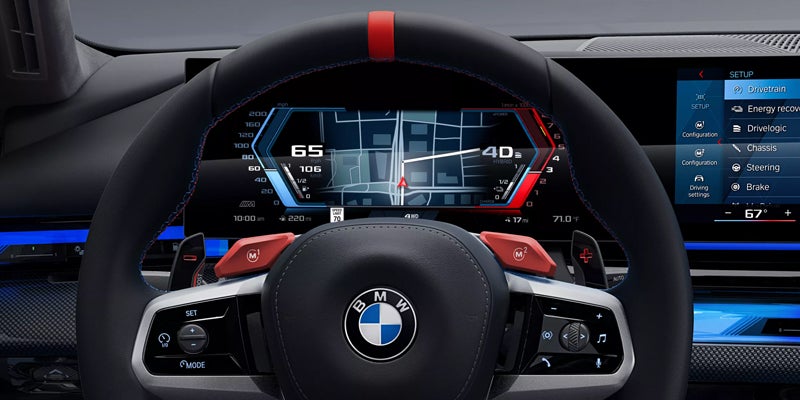
The EfficientDynamics display gives feedback about energy demand, recovery, coasting, or driving input. The exact layout varies across BMW models and software versions.

A moving bar may rise as the accelerator receives more input. During deceleration, another area may show charging or recuperation. In addition, some displays show coasting, range guidance, or a coaching prompt.

Therefore, common display elements may include:

  • An energy area can show how much fuel or electrical power the current driving input requests.
  • A recovery area can show energy returning during braking or deceleration on an electrified BMW.
  • A coaching graphic can encourage smoother pedal input while Efficient Mode remains active.
  • A coasting symbol can appear when the drivetrain reduces resistance after accelerator release.

However, the blue area does not carry one universal meaning across every BMW. On one model, it may mark recovery. On another, it may support an efficiency scale.

Therefore, read the label beside the graphic before drawing a conclusion. The owner manual can identify the exact icon and explain the scale.

Additionally, trip summaries can compare recent driving with prior travel. These summaries are informational. They do not diagnose a mechanical fault.

How Efficient Mode Changes BMW Responses

Efficient Mode can change selected settings so the BMW uses less energy. On newer BMW interfaces, the Efficiency Trainer can respond to pedal input during traffic.

Why can the accelerator feel softer after Efficient Mode starts? The mode can adjust pedal mapping, so the same foot movement requests less immediate output.

Moreover, some BMW models may revise transmission operation. Earlier upshifts can keep engine speed lower during light acceleration. Coasting may begin after the accelerator is released.

In addition, climate operation can change. As a result, cooling may feel gentler because the BMW reduces selected energy demand. In Orange Park heat, cabin temperature settings can shape the final result.

However, Efficient Mode does not prevent stronger acceleration when it is needed. Pressing the accelerator farther can request more output for merging or passing.

Still, drivers can select another available mode when they prefer a sharper response. The available choices and names will differ across BMW generations.

Additionally, current shoppers can review the new BMW inventory for models using newer displays and drive mode layouts.

How Energy Recovery and Auto Start Stop Work

BMW EfficientDynamics can include energy recovery, Auto Start Stop, and coasting. However, each feature manages a different part of the drive.

Brake energy regeneration on electric and plug in hybrid BMW models converts motion into electrical energy during slowing. That energy returns to the high voltage battery.

By contrast, a gasoline BMW may show charging during deceleration through alternator management. That process is not identical to high voltage recuperation in an electric BMW.

Additionally, Auto Start Stop turns the gasoline engine off during qualifying stops. The engine restarts when the BMW prepares to move again.

For this reason, the engine may stop at lights or during a slow Jacksonville traffic queue. Cabin cooling demand, battery charge, and engine temperature can keep the engine running.

By contrast, coasting works differently. When engine braking is not needed, the transmission can reduce the connection between the engine and driven wheels. The BMW then rolls with less resistance.

Consequently, coasting may appear after the accelerator is released during highway travel. Braking or renewed accelerator input reconnects the drivetrain as needed.

Even so, these features do not appear on every BMW. Model equipment and drivetrain type shape which functions are present.

Orange Park Driving Examples and Service Guidance

BMW EfficientDynamics feedback can change throughout one local trip. A drive along Blanding Boulevard may include repeated stops, short acceleration, and strong cooling demand.

Therefore, Auto Start Stop may shut down the engine during a stop. After traffic moves, Efficient Mode may encourage gentle acceleration through the coaching display.

On Interstate 295, the BMW may enter coasting after accelerator release. An electrified model may show recuperation when traffic slows or the brake pedal is pressed.

Additionally, air conditioning use can reduce the savings shown by the display. However, cooling remains a normal part of Florida travel. Comfort settings should match the people inside the cabin.

When does a display message need service review? A coaching prompt or changing efficiency bar is usually ordinary display feedback.

However, a warning light, persistent Check Control message, reduced power notice, or repeated charging alert needs closer attention. Read the full message before changing any setting.

Therefore, contact the Tom Bush BMW Orange Park service center when the notice remains. Owners can also schedule BMW service online.

Consequently, a trained technician can read stored fault information and inspect the related BMW components. That step separates normal efficiency feedback from a fault requiring repair.

With that in mind, BMW EfficientDynamics becomes clearer when the display, drive mode, and drivetrain are considered together. The screen then offers useful guidance for each Orange Park trip.
Posted in:

Related Posts

BMW fuel requirements and recommended octane ratings

Does a BMW Require Higher-Octane Gasoline?

A BMW badge alone doesn't tell you the whole story about what gas you need to put into your tank in Orange Park, FL. Required fuel grades change depending on your BMW's exact model, engine type, and model year. The best place to double-check is right inside your fuel filler door— there’s a sticker right there listing your car’s needs—or in your owner’s manual. It is always worth verifying, especially if you recently switched from a different model or engine style. What Octane Ratings Mean Octane simply measures how well gasoline can withstand premature ignition, often called engine knocking. T hat’s the Anti-Knock Index (AKI) number you see on the pump buttons. It is easy to think that getting the highest-octane gas automatically gives your car extra power, but that isn't quite how it works. Engines are built to run best on specific fuel blends, so following what BMW recommends is far better than just grabbing the most expensive option. Understanding Recommended vs. Minimum Fuel Grades When you check your manual, you might notice two numbers: a recommended octane and a minimum allowed octane. The recommended grade is what helps your BMW hit its full potential for horsepower, fuel economy, and smooth engine performance. The minimum grade is the lowest threshold your engine can safely run on without risking long-term damage. While using the minimum grade can get you by in a pinch, sticking with the recommended fuel gives you the driving experience your car was engineered for. What to Do i f You Accidentally Use the Wrong Fuel If you accidentally put a lower grade of gas in your tank, don't panic. Just drive gently—avoid heavy acceleration, high speeds, or hauling heavy loads—until you use up enough gas to top off the tank with the correct fuel. If the engine starts running rough or a check engine light pops on, give a service department a call to be safe. However, if you accidentally put diesel into a gas BMW (or gas into a diesel), do not start the engine. Leaving the car off prevents the wrong fuel from circulating through your fuel lines and engine, which saves you from a much bigger repair headache. Have Questions? Ask the Experts at Tom Bush BMW Orange Park If you are ever unsure about which gas to use or need help after an accidental mix-up, our team at Tom Bush BMW Orange Park is always happy to help. Just give us a call with your VIN and model year, and we can look up your exact factory specs in seconds. Whether you need a quick answer or want to bring your car in for a checkup, we are here to make sure your BMW keeps running smoothly.

BMW Remote Engine Start feature and controls in a BMW vehicle

BMW Remote Start: How It Works and How to Check Compatibility

We all know that days in Jacksonville, FL can get hot. And even in a car as advanced as a BMW, it can take a second for your air conditioning to cool off your vehicle’s cabin. That’s why B MW remote start is such a great feature. On a compatible BMW, R emote S tart can start the engine before you enter the vehicle and begin preparing the cabin temperature. For Orange Park drivers facing warm weather, that convenience can make everything more comfortable when you get into your BMW. The feature is equipment-dependent, so the first step is confirming that your specific BMW supports it. Confirm Availability for Your BMW Look for Remote Start in the vehicle’s feature information, owner’s manual, and available settings. The VIN and model year help identify factory equipment and any compatible digital services. Some BMWs may support Remote Start only with certain software, hardware, or activation arrangements. Do not assume that a feature shown in an advertisement or demonstrated on another model is installed on your vehicle, always use the information that came with your specific BMW. Ways to Start a Compatible Vehicle Depending on the vehicle, a driver may be able to request Remote Start through the My BMW App or a supported vehicle-key function. Activation instructions, prerequisites, and operating limits differ. Follow the instructions supplied for your BMW, including requirements involving vehicle security, ventilation, and local idling rules. Never remotely start a gasoline-powered vehicle in an enclosed garage. Why the Option May Be Missing If Remote Start does not appear in the My BMW App, check if the vehicle is correctly associated with your account and if the feature is supported and active. Vehicle software, network connectivity, and service eligibility can affect access. If the feature appears but will not operate, check for messages and vehicle conditions identified in the manual. A missing menu option alone does not mean a component has failed. Get Help at Tom Bush BMW Orange Park Remote Start is a specific feature, separate from BMW Digital Key and broader ConnectedDrive functions. When contacting Tom Bush BMW Orange Park, have your VIN, model year, and a description of the problem ready. The team can help confirm compatibility and determine if a service inspection is appropriate. Explore new BMW inventory to compare available equipment, or contact the service department for assistance.

Build and Order a BMW With Tom Bush BMW Orange Park

Build and Order a BMW With Tom Bush BMW Orange Park

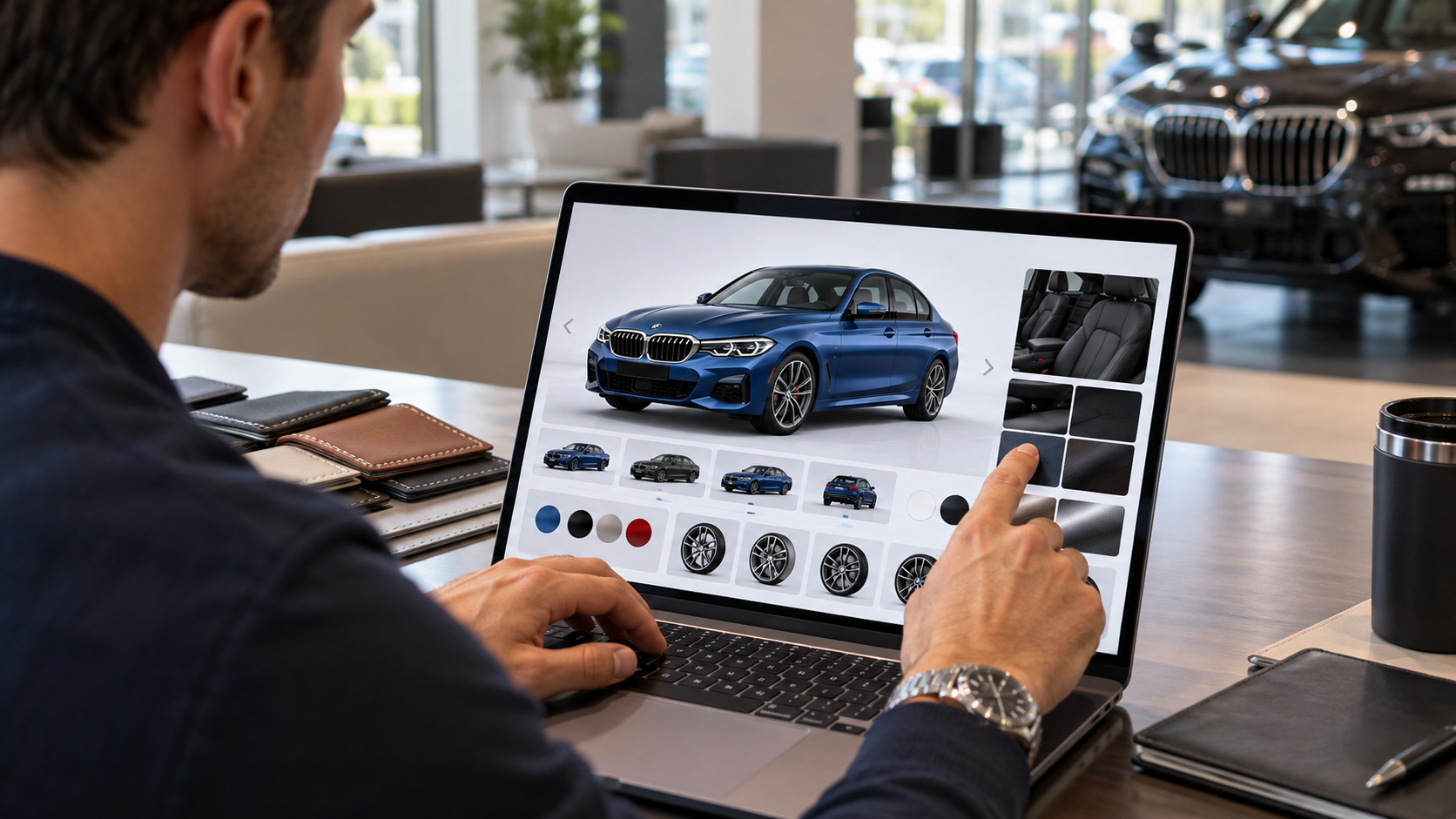
You can build and order a BMW by first defining the model, drivetrain, appearance, and equipment you want. Tom Bush BMW Orange Park can then review that preferred configuration against current inventory and available ordering paths. Therefore, the online build serves as a planning tool before the dealership confirms what can move forward. This approach keeps the process clear while avoiding assumptions about availability, timing, or final pricing. Where Do You Start When Building a BMW? Where do you start when building a BMW? Start with the BMW model and drivetrain because those choices shape the available configuration. A 3 Series, X5, i4, and X7 each begin with a different vehicle format. Therefore, the first decision should reflect your passenger, cargo, commute, and travel needs. Next, review the available drivetrain for the exact model. Some BMW models offer rear drive, xDrive, gasoline power, or electric propulsion. In addition, certain equipment choices may change with the selected drivetrain. That makes the drivetrain an early decision, not a final detail. After the vehicle foundation is clear, move into appearance and cabin selections. Keep a short list of the items you care about most. Mark the model and drivetrain as required choices before reviewing appearance items or optional equipment. Record the exterior color, wheel design, and interior trim combinations that you prefer for the selected model. Separate must have equipment from optional items so the dealership can compare your priorities with available vehicles. This list becomes useful when Tom Bush BMW Orange Park reviews inventory. It also makes later conversations more precise when several vehicles have similar equipment. Choose Colors Wheels Interiors and Packages BMW configuration tools let you work through exterior paint, wheels, upholstery, trim, packages, and other available selections. Can every selection be combined with every other choice? No, available combinations can change by model, drivetrain, package, and current BMW configuration rules. For this reason, build the vehicle in layers. Choose the exterior first, then review wheels and cabin materials. After that, examine packages and individual equipment. A package may add several related features together. It may also change which standalone choices remain available. Furthermore, BMW Individual choices can add another level of personalization on eligible models. Those selections still require confirmation for the exact vehicle. Therefore, a saved build should be treated as a preferred configuration until Tom Bush BMW Orange Park reviews it. As you move through each screen, note what matters most. A specific interior may matter more than a wheel design. Another shopper may care more about a technology package or seating feature. Keeping priorities ranked makes inventory matching easier later. The goal is to create a clear configuration that reflects your needs. It is not to assume every selected item is already available together. What Happens After You Build Your BMW? What happens after you build your BMW? Use the preferred configuration to review inventory and discuss availability with Tom Bush BMW Orange Park. Completing an online build does not mean a vehicle has been ordered. The dealership must still review the selected configuration and the available next step. Save the build details before contacting the dealership. If the tool provides a summary, keep that summary available for the conversation. Screenshots can also help when a specific color, wheel, interior, or package matters. Then bring the configuration into the dealership discussion. Ask whether a current vehicle already matches the required model, drivetrain, and major equipment. Review close matches that preserve your required items while changing only lower priority selections. If no suitable match exists, ask the dealership which ordering paths are available for that configuration. This step protects the distinction between a preferred build and confirmed vehicle availability. It also gives the dealership a defined list to review. Tom Bush BMW Orange Park can then explain what is currently available. The team can also discuss whether another path is appropriate without promising production or delivery timing. Compare Your Build With Current Inventory A preferred configuration gives you a useful filter for current BMW inventory. What if a similar vehicle is already available? Compare the available BMW against your required items before deciding whether another path is necessary. Start with the selections that shape the vehicle most. Model, drivetrain, seating, and major packages usually deserve the closest review. Then compare color, wheels, trim, and smaller options. This order keeps minor differences from outweighing larger priorities. In addition, inventory can change quickly. A vehicle shown online may sell before the next visit. Therefore, confirm current availability with Tom Bush BMW Orange Park before treating any listing as reserved. Current inventory may also reveal combinations you did not consider during the online build. Seeing the cabin materials or wheel design in person can change your preference. Still, keep your required items clear before making that adjustment. The Orange Park inventory path is the safest local next step while the local Build Your Own destination remains unavailable. Therefore, use current inventory and dealership contact options instead of a broken configuration page. Discuss Finance Lease and the Next Dealership Step Finance and lease planning should follow a clearer vehicle choice. When should you discuss payment structure? Begin once the model, major equipment, and likely inventory path are defined. BMW payment estimates can change when equipment changes the vehicle price. Therefore, an estimate created early in the process may change with the final configuration. Tom Bush BMW Orange Park can review available finance and lease paths after the vehicle discussion becomes more specific. Bring your preferred configuration, current inventory match, and payment questions into the same conversation. In addition, ask which figures are estimates and which figures apply to the selected vehicle. This keeps configuration research separate from confirmed transaction details. If a current BMW meets your priorities, the next step may move directly into a finance or lease discussion. If no suitable vehicle is available, the dealership can explain which other paths are currently open. A thoughtful build gives the conversation structure without creating a promise. Choose the BMW you want, rank the equipment that matters most, and review current Orange Park inventory. Then use Tom Bush BMW Orange Park to confirm availability, payment paths, and the next dealership step.