
Blog / Jacksonville BMW Dealer

How BMW Curved Display and Digital Cockpit Systems Enhance the Driving Experience

Modern vehicles are increasingly defined by how drivers interact with technology inside the cabin. For BMW, the digital cockpit is not simply a place to display navigation or media information. It functions as a central interface that connects vehicle systems, driver information, and connected services into one integrated environment.

Shoppers researching BMW vehicles often notice the BMW Curved Display, a distinctive panoramic screen that stretches across the dashboard. While the visual design stands out immediately, the real purpose of the system is to organize critical driving information in a way that keeps drivers informed while maintaining focus on the road. Understanding how the BMW digital cockpit works helps explain why it has become a defining feature across the BMW lineup.

How the BMW Curved Display Organizes Driver Information

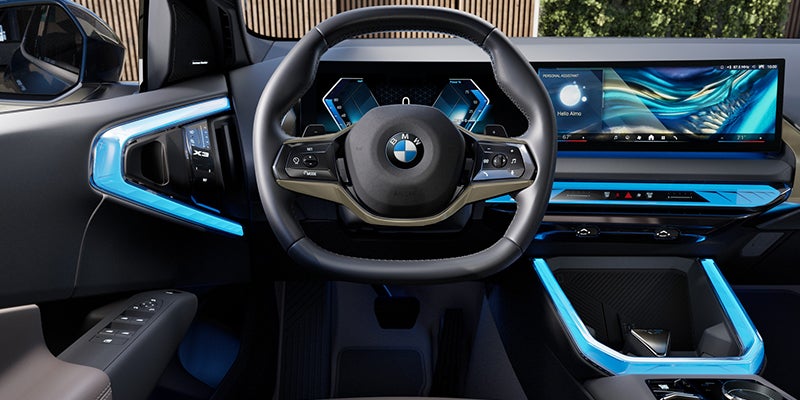
Many shoppers ask what the BMW Curved Display actually does beyond replacing traditional gauges. The BMW Curved Display is a panoramic digital interface that combines the instrument cluster and infotainment screen into a single driver oriented display system.

In BMW vehicles equipped with this technology, the display is divided into two functional areas. The portion directly in front of the driver acts as the digital instrument cluster, while the center portion serves as the primary infotainment and control interface.

This layout allows drivers to access several types of information simultaneously:

  • Vehicle speed and driving data
  • Navigation guidance and route information
  • Media and audio controls
  • Vehicle status and driver assistance alerts
  • Connected services and communication features

The curved orientation of the display is designed to angle information toward the driver. Instead of placing screens flat across the dashboard, BMW positions the interface so that key driving information remains within the driver’s natural line of sight.

How the BMW iDrive System Powers the Digital Cockpit

The visual display is only one part of the BMW cockpit system. Behind the interface is BMW iDrive, the operating system that manages infotainment, vehicle settings, and connected features.

BMW iDrive organizes the vehicle’s technology into several primary functions that drivers can access through the central interface.

These include:

  • Navigation and route guidance
  • Media streaming and audio control
  • Climate system adjustments
  • Vehicle configuration settings
  • Driver assistance system monitoring

The BMW iDrive interface is designed to simplify access to these systems through clear menus and customizable layouts. Drivers can arrange frequently used features so they appear quickly within the display.

Instead of relying on a single control method, BMW provides multiple ways to interact with the system. Drivers can use touch inputs on the screen, steering wheel controls, voice commands, or the center console controller depending on preference.

How the BMW Digital Instrument Cluster Supports Driving Awareness

The BMW digital instrument cluster replaces traditional analog gauges with a dynamic display capable of presenting multiple layers of information.

Many drivers wonder what information appears on the BMW digital cluster and how it changes during driving. The display adjusts based on vehicle activity, navigation guidance, and driver assistance systems.

For example, the BMW digital instrument cluster can display:

  • Current speed and driving mode
  • Navigation directions integrated directly into the gauge display
  • Adaptive cruise control distance indicators
  • Lane guidance from driver assistance systems
  • Fuel or energy consumption data

Because the system is digital, the layout can change depending on the selected driving mode. Sport oriented modes may emphasize performance data, while comfort oriented modes may prioritize navigation and efficiency information.

This adaptability allows drivers to see the most relevant information without switching between screens or menus.

Voice Control and Connected Technology Inside the BMW Cockpit

Interacting with vehicle technology should not require drivers to take their attention away from driving. For this reason, BMW integrates voice control and connected technology directly into the digital cockpit system.

BMW voice commands allow drivers to access several functions without touching the display. Drivers can request navigation destinations, adjust climate settings, or change media playback through natural language prompts.

Connected services extend the functionality of the cockpit beyond the vehicle itself. Drivers can access real time traffic updates, remote vehicle services, and integrated smartphone connectivity.

These features allow the BMW cockpit to act as a digital hub that connects the driver, the vehicle, and external information sources.

How the BMW Digital Cockpit Improves the Overall Driving Experience

Technology inside a vehicle should enhance the driving experience rather than distract from it. BMW approaches cockpit design with the goal of keeping the driver informed while minimizing unnecessary complexity.

The BMW Curved Display and digital cockpit architecture contribute to the driving experience in several ways:

  • Important driving information remains directly in front of the driver
  • Navigation guidance is easier to follow when integrated with the instrument cluster
  • Multiple interaction methods allow drivers to choose the most convenient control method
  • Vehicle systems can be monitored through a centralized interface

For shoppers comparing vehicles in the luxury sedan or SUV segments, the digital cockpit has become an important part of the ownership experience. BMW’s approach focuses on integrating technology with driver awareness rather than overwhelming the driver with disconnected screens or controls.

As vehicles continue to incorporate more advanced systems and connected features, the BMW digital cockpit demonstrates how thoughtful interface design can support both convenience and driving focus.
Posted in:

Related Posts

BMW fuel requirements and recommended octane ratings

Does a BMW Require Higher-Octane Gasoline?

A BMW badge alone doesn't tell you the whole story about what gas you need to put into your tank in Orange Park, FL. Required fuel grades change depending on your BMW's exact model, engine type, and model year. The best place to double-check is right inside your fuel filler door— there’s a sticker right there listing your car’s needs—or in your owner’s manual. It is always worth verifying, especially if you recently switched from a different model or engine style. What Octane Ratings Mean Octane simply measures how well gasoline can withstand premature ignition, often called engine knocking. T hat’s the Anti-Knock Index (AKI) number you see on the pump buttons. It is easy to think that getting the highest-octane gas automatically gives your car extra power, but that isn't quite how it works. Engines are built to run best on specific fuel blends, so following what BMW recommends is far better than just grabbing the most expensive option. Understanding Recommended vs. Minimum Fuel Grades When you check your manual, you might notice two numbers: a recommended octane and a minimum allowed octane. The recommended grade is what helps your BMW hit its full potential for horsepower, fuel economy, and smooth engine performance. The minimum grade is the lowest threshold your engine can safely run on without risking long-term damage. While using the minimum grade can get you by in a pinch, sticking with the recommended fuel gives you the driving experience your car was engineered for. What to Do i f You Accidentally Use the Wrong Fuel If you accidentally put a lower grade of gas in your tank, don't panic. Just drive gently—avoid heavy acceleration, high speeds, or hauling heavy loads—until you use up enough gas to top off the tank with the correct fuel. If the engine starts running rough or a check engine light pops on, give a service department a call to be safe. However, if you accidentally put diesel into a gas BMW (or gas into a diesel), do not start the engine. Leaving the car off prevents the wrong fuel from circulating through your fuel lines and engine, which saves you from a much bigger repair headache. Have Questions? Ask the Experts at Tom Bush BMW Orange Park If you are ever unsure about which gas to use or need help after an accidental mix-up, our team at Tom Bush BMW Orange Park is always happy to help. Just give us a call with your VIN and model year, and we can look up your exact factory specs in seconds. Whether you need a quick answer or want to bring your car in for a checkup, we are here to make sure your BMW keeps running smoothly.

BMW Remote Engine Start feature and controls in a BMW vehicle

BMW Remote Start: How It Works and How to Check Compatibility

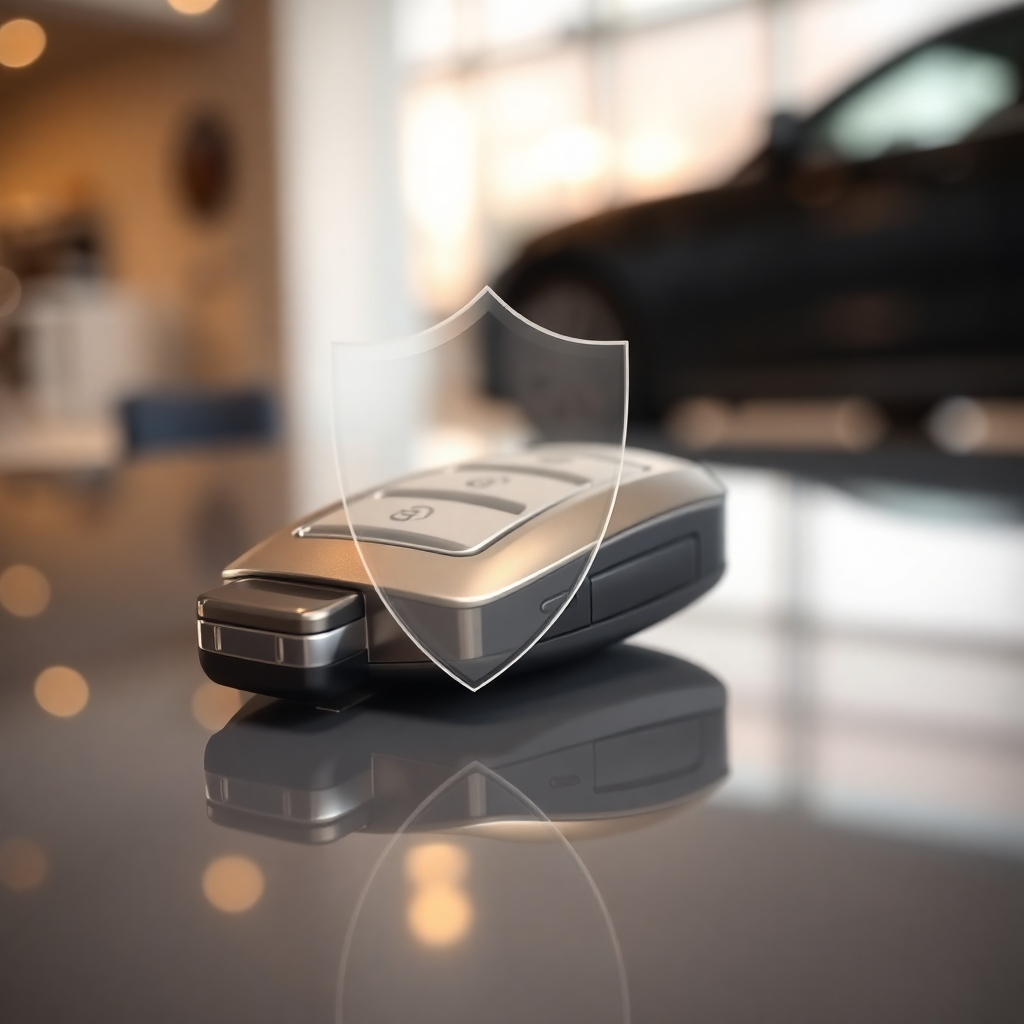
We all know that days in Jacksonville, FL can get hot. And even in a car as advanced as a BMW, it can take a second for your air conditioning to cool off your vehicle’s cabin. That’s why B MW remote start is such a great feature. On a compatible BMW, R emote S tart can start the engine before you enter the vehicle and begin preparing the cabin temperature. For Orange Park drivers facing warm weather, that convenience can make everything more comfortable when you get into your BMW. The feature is equipment-dependent, so the first step is confirming that your specific BMW supports it. Confirm Availability for Your BMW Look for Remote Start in the vehicle’s feature information, owner’s manual, and available settings. The VIN and model year help identify factory equipment and any compatible digital services. Some BMWs may support Remote Start only with certain software, hardware, or activation arrangements. Do not assume that a feature shown in an advertisement or demonstrated on another model is installed on your vehicle, always use the information that came with your specific BMW. Ways to Start a Compatible Vehicle Depending on the vehicle, a driver may be able to request Remote Start through the My BMW App or a supported vehicle-key function. Activation instructions, prerequisites, and operating limits differ. Follow the instructions supplied for your BMW, including requirements involving vehicle security, ventilation, and local idling rules. Never remotely start a gasoline-powered vehicle in an enclosed garage. Why the Option May Be Missing If Remote Start does not appear in the My BMW App, check if the vehicle is correctly associated with your account and if the feature is supported and active. Vehicle software, network connectivity, and service eligibility can affect access. If the feature appears but will not operate, check for messages and vehicle conditions identified in the manual. A missing menu option alone does not mean a component has failed. Get Help at Tom Bush BMW Orange Park Remote Start is a specific feature, separate from BMW Digital Key and broader ConnectedDrive functions. When contacting Tom Bush BMW Orange Park, have your VIN, model year, and a description of the problem ready. The team can help confirm compatibility and determine if a service inspection is appropriate. Explore new BMW inventory to compare available equipment, or contact the service department for assistance.

Build and Order a BMW With Tom Bush BMW Orange Park

Build and Order a BMW With Tom Bush BMW Orange Park

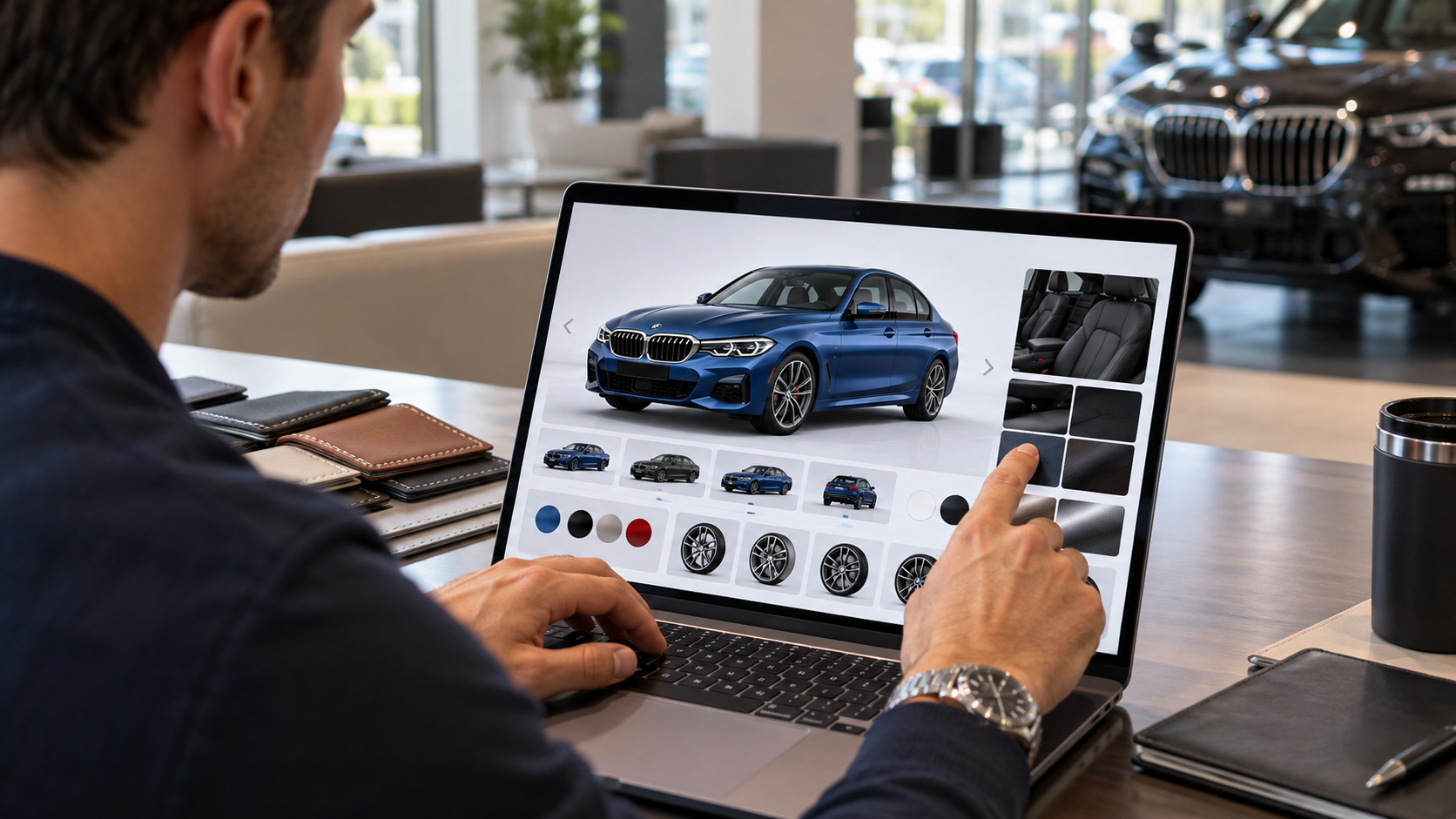
You can build and order a BMW by first defining the model, drivetrain, appearance, and equipment you want. Tom Bush BMW Orange Park can then review that preferred configuration against current inventory and available ordering paths. Therefore, the online build serves as a planning tool before the dealership confirms what can move forward. This approach keeps the process clear while avoiding assumptions about availability, timing, or final pricing. Where Do You Start When Building a BMW? Where do you start when building a BMW? Start with the BMW model and drivetrain because those choices shape the available configuration. A 3 Series, X5, i4, and X7 each begin with a different vehicle format. Therefore, the first decision should reflect your passenger, cargo, commute, and travel needs. Next, review the available drivetrain for the exact model. Some BMW models offer rear drive, xDrive, gasoline power, or electric propulsion. In addition, certain equipment choices may change with the selected drivetrain. That makes the drivetrain an early decision, not a final detail. After the vehicle foundation is clear, move into appearance and cabin selections. Keep a short list of the items you care about most. Mark the model and drivetrain as required choices before reviewing appearance items or optional equipment. Record the exterior color, wheel design, and interior trim combinations that you prefer for the selected model. Separate must have equipment from optional items so the dealership can compare your priorities with available vehicles. This list becomes useful when Tom Bush BMW Orange Park reviews inventory. It also makes later conversations more precise when several vehicles have similar equipment. Choose Colors Wheels Interiors and Packages BMW configuration tools let you work through exterior paint, wheels, upholstery, trim, packages, and other available selections. Can every selection be combined with every other choice? No, available combinations can change by model, drivetrain, package, and current BMW configuration rules. For this reason, build the vehicle in layers. Choose the exterior first, then review wheels and cabin materials. After that, examine packages and individual equipment. A package may add several related features together. It may also change which standalone choices remain available. Furthermore, BMW Individual choices can add another level of personalization on eligible models. Those selections still require confirmation for the exact vehicle. Therefore, a saved build should be treated as a preferred configuration until Tom Bush BMW Orange Park reviews it. As you move through each screen, note what matters most. A specific interior may matter more than a wheel design. Another shopper may care more about a technology package or seating feature. Keeping priorities ranked makes inventory matching easier later. The goal is to create a clear configuration that reflects your needs. It is not to assume every selected item is already available together. What Happens After You Build Your BMW? What happens after you build your BMW? Use the preferred configuration to review inventory and discuss availability with Tom Bush BMW Orange Park. Completing an online build does not mean a vehicle has been ordered. The dealership must still review the selected configuration and the available next step. Save the build details before contacting the dealership. If the tool provides a summary, keep that summary available for the conversation. Screenshots can also help when a specific color, wheel, interior, or package matters. Then bring the configuration into the dealership discussion. Ask whether a current vehicle already matches the required model, drivetrain, and major equipment. Review close matches that preserve your required items while changing only lower priority selections. If no suitable match exists, ask the dealership which ordering paths are available for that configuration. This step protects the distinction between a preferred build and confirmed vehicle availability. It also gives the dealership a defined list to review. Tom Bush BMW Orange Park can then explain what is currently available. The team can also discuss whether another path is appropriate without promising production or delivery timing. Compare Your Build With Current Inventory A preferred configuration gives you a useful filter for current BMW inventory. What if a similar vehicle is already available? Compare the available BMW against your required items before deciding whether another path is necessary. Start with the selections that shape the vehicle most. Model, drivetrain, seating, and major packages usually deserve the closest review. Then compare color, wheels, trim, and smaller options. This order keeps minor differences from outweighing larger priorities. In addition, inventory can change quickly. A vehicle shown online may sell before the next visit. Therefore, confirm current availability with Tom Bush BMW Orange Park before treating any listing as reserved. Current inventory may also reveal combinations you did not consider during the online build. Seeing the cabin materials or wheel design in person can change your preference. Still, keep your required items clear before making that adjustment. The Orange Park inventory path is the safest local next step while the local Build Your Own destination remains unavailable. Therefore, use current inventory and dealership contact options instead of a broken configuration page. Discuss Finance Lease and the Next Dealership Step Finance and lease planning should follow a clearer vehicle choice. When should you discuss payment structure? Begin once the model, major equipment, and likely inventory path are defined. BMW payment estimates can change when equipment changes the vehicle price. Therefore, an estimate created early in the process may change with the final configuration. Tom Bush BMW Orange Park can review available finance and lease paths after the vehicle discussion becomes more specific. Bring your preferred configuration, current inventory match, and payment questions into the same conversation. In addition, ask which figures are estimates and which figures apply to the selected vehicle. This keeps configuration research separate from confirmed transaction details. If a current BMW meets your priorities, the next step may move directly into a finance or lease discussion. If no suitable vehicle is available, the dealership can explain which other paths are currently open. A thoughtful build gives the conversation structure without creating a promise. Choose the BMW you want, rank the equipment that matters most, and review current Orange Park inventory. Then use Tom Bush BMW Orange Park to confirm availability, payment paths, and the next dealership step.